Text, tickers, web pages and live streams
Content you add in the campaign editor rather than upload.
In the campaign editor, Add Media lists everything you can put on screen.
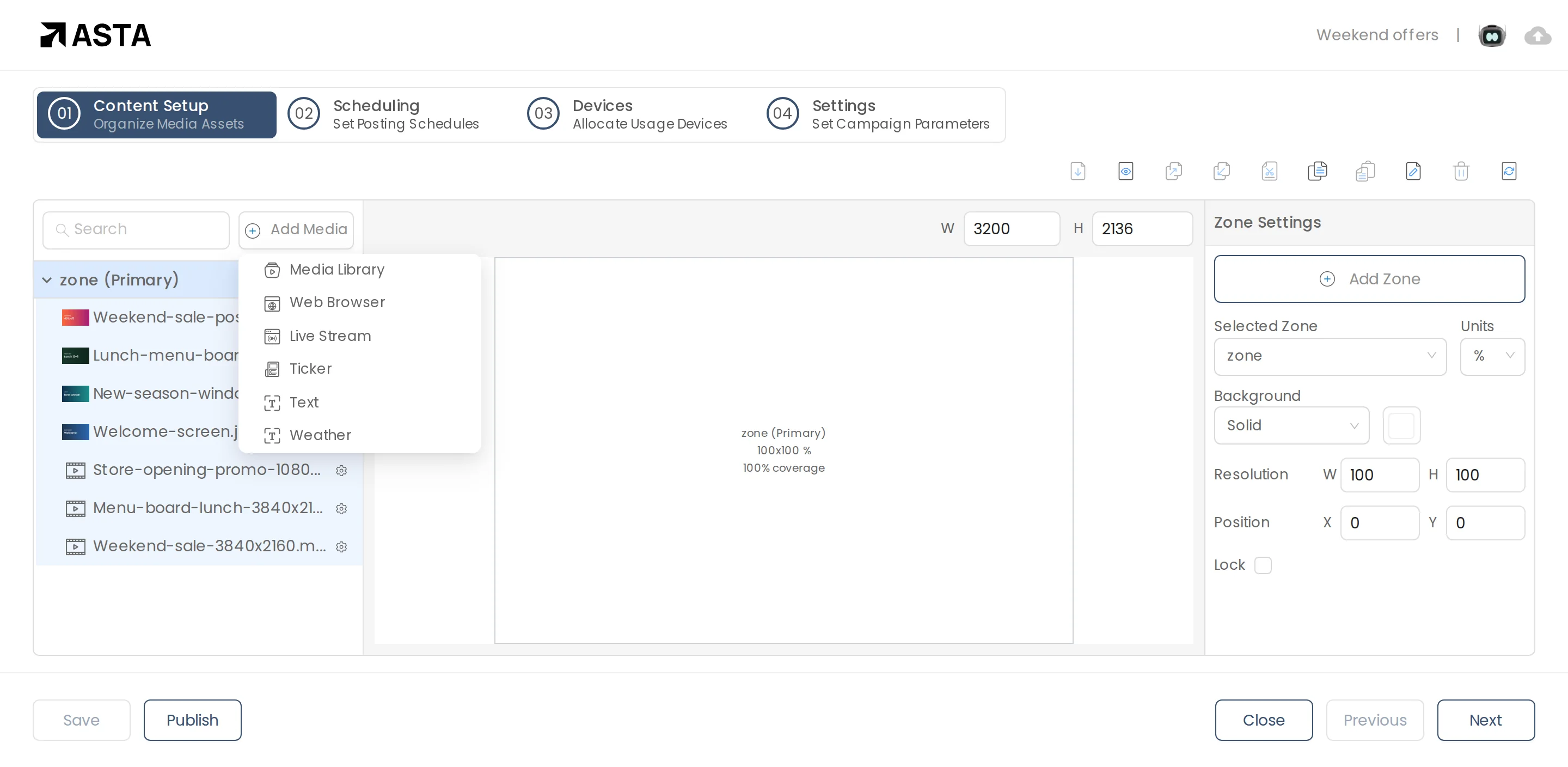
- Text: a message you type, with its own font, size and colours.
- Ticker: a line of scrolling text along the screen.
- Web Browser: a web page, such as a live dashboard or menu.
- Live Stream: a video stream, from its link.
Can't find what you need?
Email support@futureik.com and a person from our team will reply.