Add users
Invite people and give each one a role.
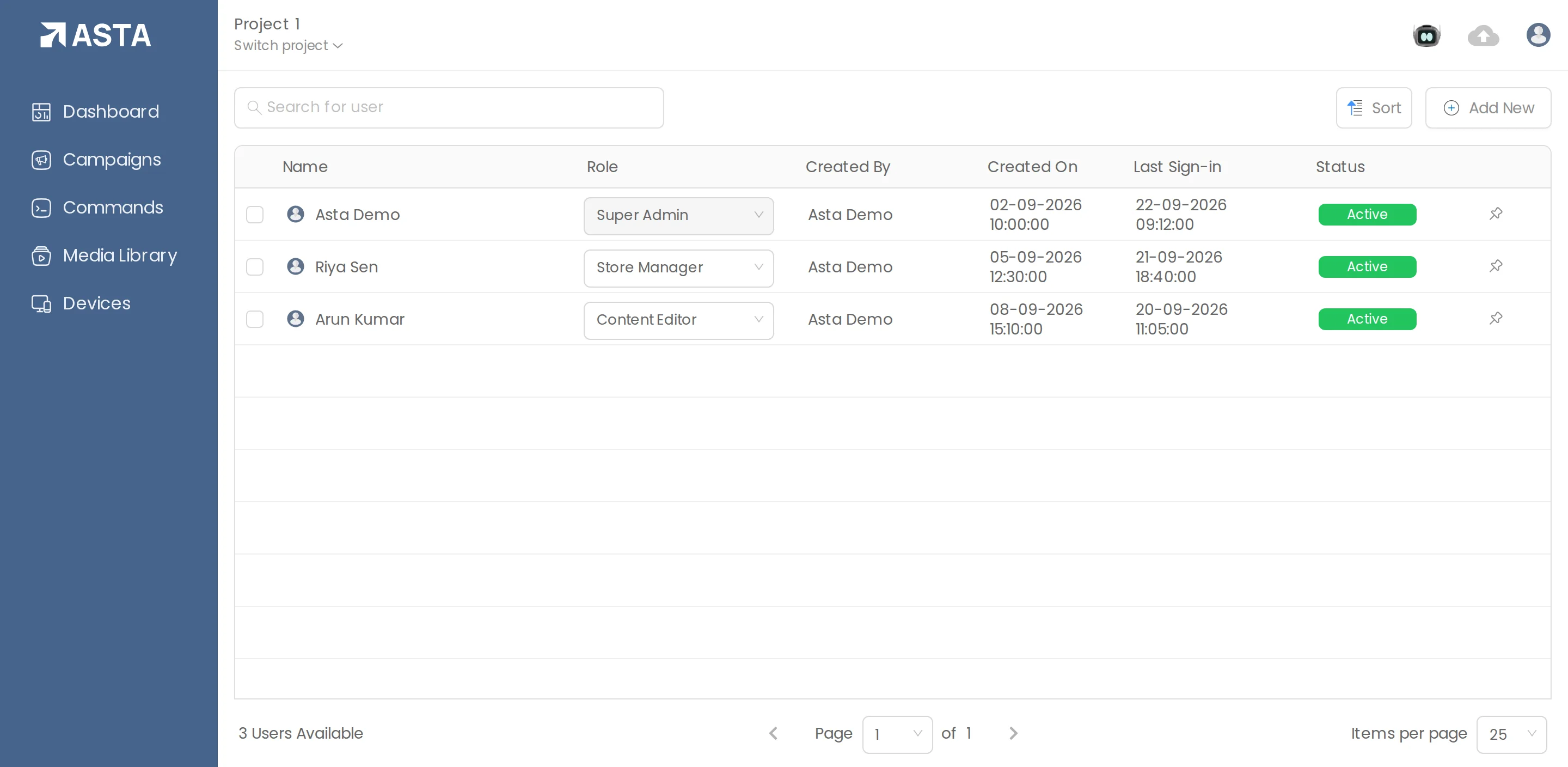
- Open the profile menu and choose Users.
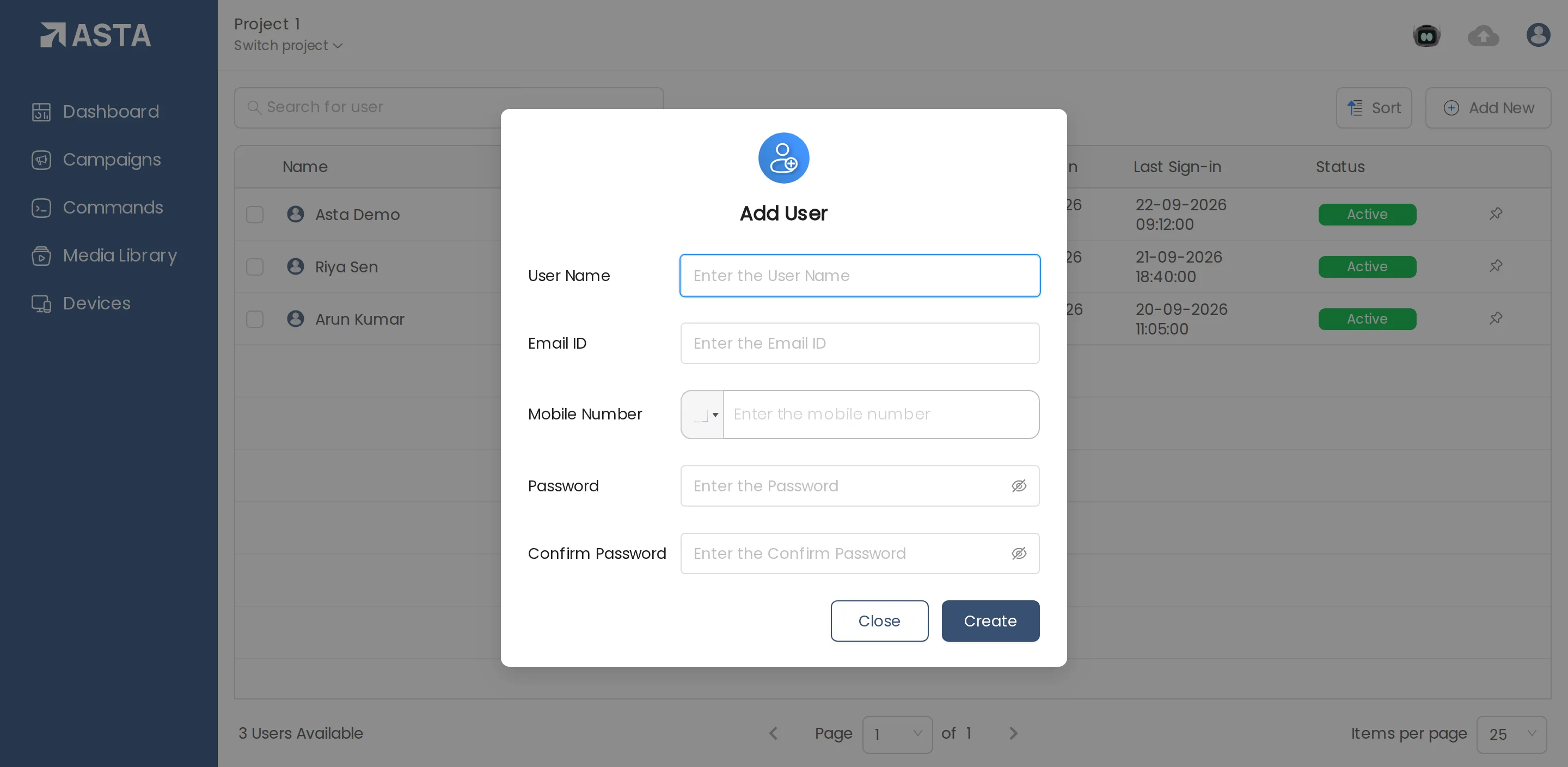
- Click Add New and fill in User Name, Email ID, Mobile Number and a Password.
- Click Create, then pick their role in the Role column.
Can't find what you need?
Email support@futureik.com and a person from our team will reply.